


StudentSquare
3.3286.00 Reviews
App Specs
- Version
- 2.116.0
- Updated On
- License
- Free
- Downloads
- 100,000+
- Developer
- ParentSquare
- Categories
- Education
- Platform
- Android
Screenshots
 Analysis by AppCompare
School communication apps often feel useful for a week and then become another icon that parents, students, and staff forget to check. My experience with StudentSquare is more practical than that simple first impression. It is an education app from ParentSquare built around private communication between schools and their student communities, and its real value depends less on entertainment or clever extras than on whether the school makes it part of its everyday routine.
That distinction matters. StudentSquare is free, rated for Everyone, and available for Android devices running version 7.0 or later. It has been around since October 24, 2018, and the current version is 2.116.0. Those details make it accessible to many families, but accessibility alone does not guarantee that it will become a dependable habit. I found the app most useful when it served as a single place to follow school communication without mixing it into personal messaging, social media, or a crowded email inbox.
What the first week feels like
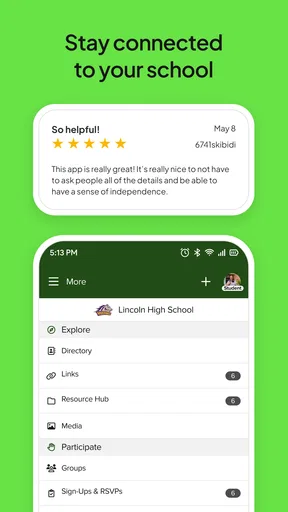
The first-week appeal is easy to understand: StudentSquare gives school-related communication its own space. Instead of searching through unrelated messages, I can approach the app with one clear purpose—checking what the school has shared and staying connected to the student side of school life. That separation is especially helpful for families who already use several communication channels and are tired of wondering whether an important notice was sent by email, posted elsewhere, or mentioned informally.
The private nature of the platform is an important part of its identity. This is not a public social network and it is not designed to replace every conversation a student or parent may have. Its strength is the school context. When communication is kept within that context, a notice feels easier to interpret because I already know why it is appearing and which part of daily school life it relates to.
I also appreciate that StudentSquare is not presented as a general-purpose productivity tool. It has a narrower job, and that can be an advantage. A narrow app is easier to judge: if it helps me keep up with school communication, it is doing its work; if the school rarely uses it, the app naturally feels unnecessary. The first week therefore depends heavily on the school’s communication habits rather than on the app alone.
For a student, the early benefit is having school communication separated from family chats and entertainment apps. For a parent, the benefit is similar but more practical: the app can become a deliberate checkpoint before or after the school day. I found that this works better than treating every notification as urgent. A quick scheduled check is less tiring than reacting to every alert immediately, especially when the school shares routine information alongside genuinely time-sensitive messages.
Where it fits in a real school-day routine
Imagine a weekday morning when a student is preparing for school and a parent is already thinking about work, transport, meals, and the evening schedule. StudentSquare is useful in that moment when the family needs one school-focused place to check. The parent can look for a new communication before leaving home, while the student can return to the app later when school-related information becomes relevant. The app does not remove the need to read carefully, but it reduces the mental effort of deciding where to look first.
Worth Reading Before You Choose

EA SPORTS FC Mobile 26 Is a Bigger Football Game, but It Takes Time

Flipboard Shows What News Apps Must Do Beyond the Feed

Switching to Android Auto Means Rethinking Your Driving Routine

Google Calendar Makes a Crowded Week Easier to Manage

Ludo King Makes the Most of the Minutes Between Plans

Baby Panda World Brings Quick Play to Modern Phones, but Its Game Library Feels Busy
A second realistic use comes after school. A student may remember that a school message needs attention but not want to search through a personal inbox. Opening a dedicated education app makes that task more direct. This is a small advantage, yet small advantages are exactly what determine whether a communication tool remains useful after its novelty fades.
One practical tip is to decide in advance what counts as a normal check and what deserves immediate attention. Without that rule, a communication app can quietly turn into a source of constant interruption. StudentSquare works better when it supports a routine rather than dictates one.
What it does better than ordinary alternatives
The usual alternatives are email, text messages, phone calls, printed notices, and informal group chats. Each has a weakness. Email can bury school messages under work and personal correspondence. Texting is direct but can fragment conversations across different numbers and threads. Phone calls are useful for urgent or complicated matters but are inefficient for routine communication. Printed notices are easy to overlook once they leave a student’s bag. Group chats may be fast, but they can also become noisy and difficult to treat as an official source.
StudentSquare’s advantage is not that it makes communication magically clearer. Its advantage is that it gives school communication a dedicated home. That makes it easier for me to form a reliable checking habit and easier to separate official school-related information from informal discussion. For families who already have a well-organized email system and a school that communicates consistently there, the difference may be modest. For families dealing with scattered channels, the dedicated space is more meaningful.
The trade-off is that a dedicated platform only works if the school community actually uses it consistently. If some information appears in StudentSquare, other information arrives by email, and urgent matters are handled by phone, I still need to monitor several places. In that situation, the app becomes one piece of the system rather than the system itself.
Whether it earns a place beyond the first month
After the first month, the question changes from “Is this convenient?” to “Does this still save me effort?” That is where StudentSquare’s lasting value becomes more conditional. The app is not something I open for entertainment, discovery, or personal organization. Its recurring value comes from dependable school communication. If the school keeps using it for meaningful updates, the habit has a reason to survive. If messages are rare or duplicated everywhere else, the app becomes easy to ignore.
This is not necessarily a weakness in the software. Communication platforms are dependent on the behavior of the organization using them. Still, it affects the user’s experience directly. I would not recommend judging StudentSquare only by the first few days. I would watch whether it continues to answer a recurring need: knowing where school information will appear and whether checking there saves time compared with searching several alternatives.
The app’s education focus also gives it a clear audience. It makes sense for students and families whose schools have adopted the platform as part of their communication process. It is less compelling for someone looking for homework planning, note-taking, tutoring, language practice, or a broad school-management suite. StudentSquare should be evaluated as a communication channel, not as an all-purpose education app.
The habit test
My preferred way to keep an app like this useful is to attach it to an existing routine. Checking it at a natural point in the day—before leaving for school, after returning home, or before preparing for the next day—works better than relying on memory. The goal is not to spend a long time inside the app. The goal is to make checking school communication as ordinary as checking a calendar.
That habit also helps reveal whether the platform is earning its place. If I repeatedly open StudentSquare and find communication that affects schedules, school responsibilities, or family planning, it becomes part of the household routine. If I open it only because I feel guilty about missing something and rarely find relevant updates, the habit will not last. The app cannot create recurring value without recurring communication.
A useful family rule is to avoid treating the app as a replacement for direct conversation. A student may still need to ask a teacher or parent for clarification, and a parent may still need to contact the school through the appropriate channel. StudentSquare can make the initial information easier to find, but it does not eliminate the judgment needed to decide what action comes next.
Maintenance and the small costs of staying organized
StudentSquare is free, which removes one obvious barrier to keeping it installed. It is also rated for Everyone, so its basic positioning is suitable for a broad school audience. More than one hundred thousand installs indicate that it has reached a substantial group of users, while its average rating of 3.3 from around 869 ratings suggests a mixed experience rather than universal satisfaction. I read that combination as a reminder to keep expectations realistic: the app can be useful, but convenience will vary by school and by household.
Maintenance is not only about storage space or updates. The bigger burden is attention. I need to know that my school uses StudentSquare, recognize it as an official communication location, and remember to check it without allowing it to dominate the day. If the household has several students, the mental load can increase because school communication may involve different schedules, different priorities, and different people who need to act on a message.
The current version, 2.116.0, shows that the app continues to be maintained as a product. That is reassuring for an app intended to remain in a family’s routine, but updates alone do not solve the organizational challenge. A maintained communication tool can still feel tiring if every message is treated as equally important or if users are expected to monitor too many channels at once.
My practical advice is to keep the app’s role narrow. Use it for school communication, decide who in the household is responsible for checking it, and share important information with the people who need it rather than assuming everyone saw the same message. This avoids a common problem with family communication tools: several people receive the same notice, but nobody knows who is expected to respond.
Where fatigue begins
The main source of fatigue is notification pressure. Even useful messages can become background noise when they arrive too often or cover minor matters. A platform intended to improve communication can therefore create the opposite feeling if the user starts opening it defensively, simply to make sure nothing has been missed. That is why a clear household routine matters more than constant checking.
Another source of friction is duplication. If the same school announcement appears in StudentSquare, email, and a printed notice, the dedicated platform may feel less like a solution and more like another inbox. Duplication can be reasonable for important information, but repeated low-priority communication makes long-term use harder. In my view, the app works best when the school treats it as a meaningful channel rather than an extra place to repost everything.
There is also a social limitation. A private school platform is not the same as a live conversation. It may organize communication, but it cannot guarantee that a student understands a message, that a parent notices a subtle detail, or that a complicated issue is resolved without follow-up. Anyone expecting the app to replace teacher conversations, office contact, or personal reminders may find it too limited.
Students who dislike checking school systems may not become regular users simply because the interface is dedicated to education. Likewise, parents who already have a reliable system built around email may see little reason to change unless their school makes StudentSquare the preferred channel. In those cases, the usual alternative may remain better because it is already integrated into the family’s established routine.
Who should keep using it
I would recommend StudentSquare to families whose schools actively depend on it for communication and to students who benefit from keeping school messages separate from personal apps. It is also a sensible choice for households that struggle with scattered notices and want one school-focused place to begin each check. The app is particularly worthwhile when several people need access to the same school communication but do not want to coordinate through informal group chats.
I would be more cautious for someone seeking a complete academic companion. StudentSquare is not the right choice if the main need is assignment tracking, revision tools, digital notebooks, or study coaching. It is also not ideal for a family that already receives every important school message through a channel they reliably monitor and does not want another routine to maintain.
Before committing to it, I would ask a simple question: “Will the school consistently use this?” If the answer is yes, the app has a clear reason to stay installed. If the answer is uncertain, the first-week experience may be pleasant but the long-term value will be difficult to sustain. That is the most important trade-off in this product, and it is more significant than any individual convenience.
My long-term verdict
StudentSquare earns lasting space when it becomes the school community’s dependable communication habit. Its best quality is focus: it gives school communication a private, dedicated setting instead of forcing families to reconstruct important information from email, texts, calls, and paper. That focus can reduce friction every day, but only when the school and the household use it consistently.
I like the app most as a quiet utility rather than something I would open repeatedly throughout the day. Its value appears in the moments when a parent needs to check school information quickly, a student needs to revisit a communication, or a family wants to keep school matters separate from personal conversations. Those moments are ordinary, but they recur, and recurring usefulness is what allows a communication app to survive beyond its initial novelty.
My final judgment is positive but conditional. StudentSquare is worth keeping for users whose schools have made it part of their communication system. It is free, broadly accessible, and focused on a real everyday problem. At the same time, it is not a universal replacement for email, direct contact, calendars, or academic tools. Its lasting value comes from reliable school adoption and a manageable checking habit, not from the app existing on the phone.
For me, that makes it a practical education app rather than an essential one for everyone. If your school uses it well, I would keep it installed and build one calm daily check around it. If your school uses it inconsistently, I would avoid making it the only place you look and would continue relying on the communication method that has already proved dependable for your family.
Pros
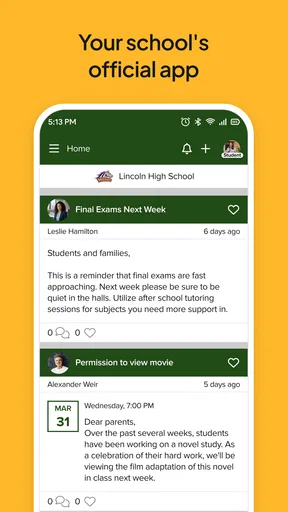
- Keeps school announcements
- events
- and updates in one convenient place.
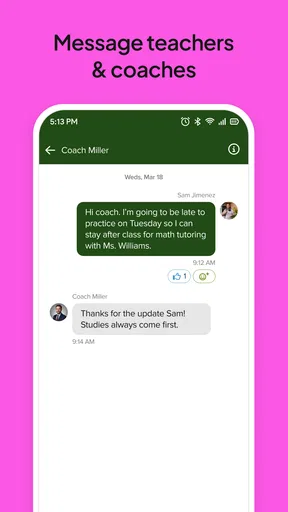
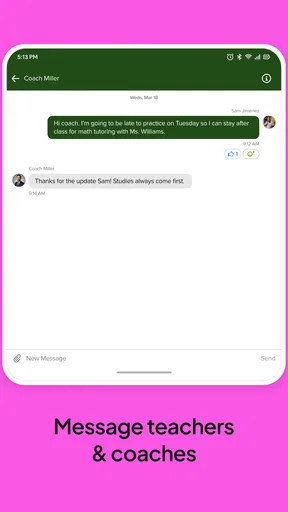
- Supports direct communication between families and school staff.
- Push notifications help users avoid missing important information.
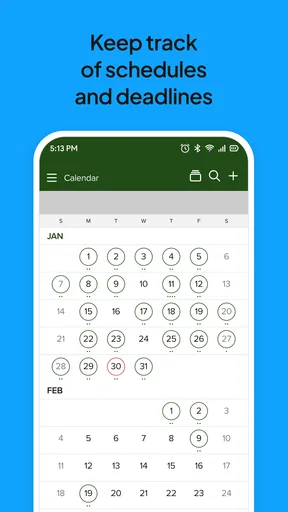
- Useful for checking calendars
- forms
- and school-related resources.
- Available on mobile devices for quick access while away from a computer.
Cons
- Features and content depend heavily on the school’s level of participation.
- Notification volume can become overwhelming during busy school periods.
- Some information may be difficult to find if the school posts frequently.
- Requires an active school or district account to access most features.
- App usefulness may vary depending on local settings and administrator configuration.
FAQs for StudentSquare
What is StudentSquare, and who is it designed for?
StudentSquare is a school communication app designed to help students and families stay connected with teachers, schools, and districts. After signing in through a participating school or district, users may receive announcements, messages, calendars, reminders, forms, and other updates in one place. Availability and features can vary depending on how the school has configured its StudentSquare account.
How do I sign in to StudentSquare?
To use StudentSquare, you generally need an account connected to a school or district that uses the platform. Sign-in may be completed with an email address, phone number, or credentials provided by the school. If your information is not recognized, the app may not be useful until the school administrator adds or verifies your details, so contacting the school office is usually the quickest solution.
What types of notifications and school information can I receive?
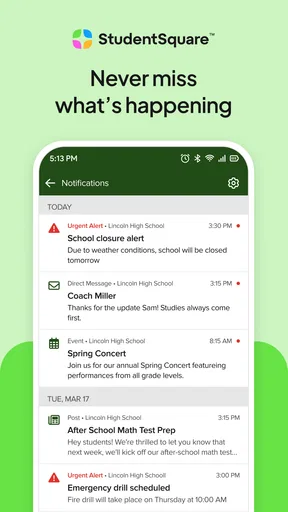
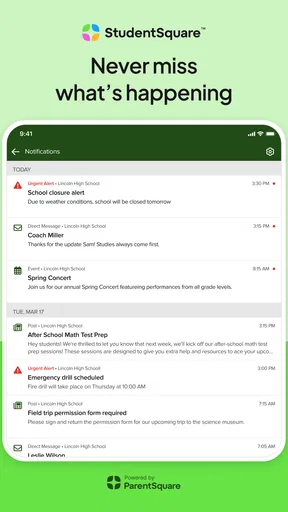
StudentSquare can be used for different kinds of school communication, including general announcements, direct messages, attendance-related notices, event reminders, calendar information, emergency alerts, newsletters, and requests for forms or confirmations. The exact content depends on the school or district. You can normally adjust notification preferences, but important alerts may still be sent according to the institution’s communication settings.
Is StudentSquare free to download and use?
StudentSquare is generally available to download without a separate subscription fee for students and families, although access depends on participation by the relevant school or district. Standard mobile data or Wi-Fi charges may apply when using the app, especially for attachments, images, or video content. Some optional school services or activities mentioned through the platform could involve separate costs.
Is StudentSquare safe for sharing student and family information?
StudentSquare is intended for school-related communication and uses account-based access so messages and information can be directed to the appropriate users. However, no online service should be treated as completely risk-free. Use a strong password, keep the app updated, avoid sharing login details, and review privacy and notification settings. Families should also confirm with their school how personal information is managed.


